Difference between revisions of "Date and Time/NTP"
| Line 1: | Line 1: | ||
=Date and Time-NTP= | =Date and Time-NTP= | ||
==Description== | ==Description== | ||
| + | This guide will show how to adjust NTP (Network Time Protocol) settings on a Dahua device. | ||
| + | |||
| + | The NTP function allows a device to sync time with a NTP server | ||
| + | |||
| + | By default most Dahua devices will use the following default NTP server information: | ||
| + | * Server - time.windows.com | ||
| + | * Port - 123 | ||
| + | |||
| + | *Interval - is a settng | ||
| + | ==Warning!== | ||
| + | If you have video that needs to be backed up, please be sure to backup your recorded video '''before''' modifying the Date & Time on your recorder or cameras. It is strongly recommended that you format the hard drive after modifying the date and time to ensure accurate playback and recording. | ||
==Prerequisites== | ==Prerequisites== | ||
| + | * Dahua device | ||
| + | * NTP server information (if not other than default) | ||
==Video Instructions== | ==Video Instructions== | ||
==Step by Step Instructions== | ==Step by Step Instructions== | ||
| + | |||
| + | |||
| + | <gallery> | ||
| + | File:NTP_-_New_UI_-_1.jpg|Old UI | ||
| + | File:NTPSetupNewUI.png|New UI | ||
| + | File:NTPSetupOldWebUI.PNG|Web UI (Old) | ||
| + | File:NTPSetupNewWebUI.PNG|Web UI (New) | ||
| + | File:NTP_-_New_UI_-_4.jpg|SmartPSS | ||
| + | File:NTP_-_New_UI_-_5.jpg|DSS Express S | ||
| + | </gallery> | ||
| + | |||
| + | |||
===Old UI=== | ===Old UI=== | ||
Revision as of 01:01, 5 November 2019
Contents
Date and Time-NTP
Description
This guide will show how to adjust NTP (Network Time Protocol) settings on a Dahua device.
The NTP function allows a device to sync time with a NTP server
By default most Dahua devices will use the following default NTP server information:
- Server - time.windows.com
- Port - 123
- Interval - is a settng
Warning!
If you have video that needs to be backed up, please be sure to backup your recorded video before modifying the Date & Time on your recorder or cameras. It is strongly recommended that you format the hard drive after modifying the date and time to ensure accurate playback and recording.
Prerequisites
- Dahua device
- NTP server information (if not other than default)
Video Instructions
Step by Step Instructions

Old UI
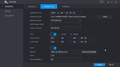
New UI
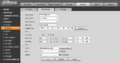
Web UI (Old)
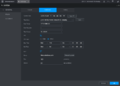
Web UI (New)
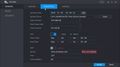
SmartPSS
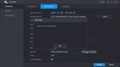
DSS Express S


Old UI
New UI
From the Main Menu click System
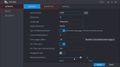
Go to General > Date & Time
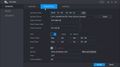
Click to enable NTP.
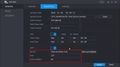
Use the fields to modify NTP server settings as desired
Click 'Manual Update' to manually update the device by NTP
A window will confirm a successful update

Click Apply to save


