Difference between revisions of ":Example Photos Process"
(Created page with "==Example Photos Process==") |
|||
| Line 1: | Line 1: | ||
==Example Photos Process== | ==Example Photos Process== | ||
| + | 1. Take the following example photos. Take 3 of each using SmartPSS not Internet Explorer | ||
| + | |||
| + | *2700k Full Brightness ~195lux | ||
| + | *2700k Half Brightness ~93lux | ||
| + | *5000k Full Brightness ~181lux | ||
| + | *5000k Half Brightness ~77lux | ||
| + | *2700k+5000k Full Brightness ~360lux | ||
| + | *Lights Out ~1lux | ||
| + | *Overhead+2700k+5000k ~658lux | ||
| + | |||
| + | Be sure to note the lux level for each set of images. | ||
| + | |||
| + | 2. Select the best photo for each of the light settings, and rename the photos using the following syntax: | ||
| + | |||
| + | *MODELOFCAMERAExample2700kFull1.jpg | ||
| + | *MODELOFCAMERAExample2700kHalf1.jpg | ||
| + | *MODELOFCAMERAExample5000kFull1.jpg | ||
| + | *MODELOFCAMERAExample5000kHalf1.jpg | ||
| + | *MODELOFCAMERAExampleAllOn1.jpg | ||
| + | *MODELOFCAMERAExampleAllOff1.jpg | ||
| + | *MODELOFCAMERAExampleOverheadOn1.jpg | ||
| + | |||
| + | 3. Upload the photos to DahuaWiki. | ||
| + | |||
| + | 4. Create a gallery using the above information and the below syntax for a gallery. | ||
| + | |||
| + | 5. Add this information to the appropriate product page, before, "Firmware" and after, "FOV" or "Compression" | ||
| + | |||
| + | Link to Complete Example: https://dahuawiki.com/USA/IPCamera/Super/DH_IPC_HFW83A1EN_Z | ||
| + | |||
| + | ===Example Photos WORKING EXAMPLE=== | ||
| + | <gallery mode=nolines widths=150px> | ||
| + | file:HFW83A1ENExample2700kFull1.jpg|2700k Full Brightness ~195lux | ||
| + | file:HFW83A1ENExample2700kHalf1.jpg|2700k Half Brightness ~93lux | ||
| + | file:HFW83A1ENExample5000kFull1.jpg|5000k Full Brightness ~181lux | ||
| + | file:HFW83A1ENExample5000kHalf1.jpg|5000k Half Brightness ~77lux | ||
| + | file:HFW83A1ENExampleAllOn1.jpg|2700k+5000k Full Brightness ~360lux | ||
| + | file:HFW83A1ENExampleAllOff1.jpg|Lights Out ~1lux | ||
| + | file:HFW83A1ENExampleOverheadOn1.jpg|Overhead+2700k+5000k ~658lux | ||
| + | </gallery> | ||
Latest revision as of 18:32, 29 June 2017
Example Photos Process
1. Take the following example photos. Take 3 of each using SmartPSS not Internet Explorer
- 2700k Full Brightness ~195lux
- 2700k Half Brightness ~93lux
- 5000k Full Brightness ~181lux
- 5000k Half Brightness ~77lux
- 2700k+5000k Full Brightness ~360lux
- Lights Out ~1lux
- Overhead+2700k+5000k ~658lux
Be sure to note the lux level for each set of images.
2. Select the best photo for each of the light settings, and rename the photos using the following syntax:
- MODELOFCAMERAExample2700kFull1.jpg
- MODELOFCAMERAExample2700kHalf1.jpg
- MODELOFCAMERAExample5000kFull1.jpg
- MODELOFCAMERAExample5000kHalf1.jpg
- MODELOFCAMERAExampleAllOn1.jpg
- MODELOFCAMERAExampleAllOff1.jpg
- MODELOFCAMERAExampleOverheadOn1.jpg
3. Upload the photos to DahuaWiki.
4. Create a gallery using the above information and the below syntax for a gallery.
5. Add this information to the appropriate product page, before, "Firmware" and after, "FOV" or "Compression"
Link to Complete Example: https://dahuawiki.com/USA/IPCamera/Super/DH_IPC_HFW83A1EN_Z
Example Photos WORKING EXAMPLE
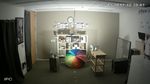
2700k Full Brightness ~195lux
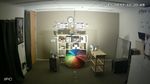
2700k Half Brightness ~93lux
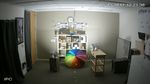
5000k Full Brightness ~181lux
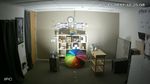
5000k Half Brightness ~77lux
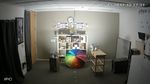
2700k+5000k Full Brightness ~360lux
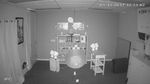
Lights Out ~1lux
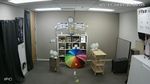
Overhead+2700k+5000k ~658lux


