Difference between revisions of "Thermal/Temperature Alarm"
| Line 37: | Line 37: | ||
[[File:Temperature_Alarm_-_WebUI_-_4.jpg|800px]] | [[File:Temperature_Alarm_-_WebUI_-_4.jpg|800px]] | ||
| + | |||
| + | |||
| + | |||
| + | ==Device Specific Instructions== | ||
| + | {| style="width: 100%;" | ||
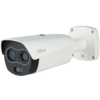
| + | ! style="text-align:center;"|[[File:TPC BF2221N B3 image.png|100px|link=https://dahuawiki.com/Thermal/Firmware_Update/TPC_BF5421_T]] | ||
| + | ! style="text-align:center;"|[[File:TPC BF2221N B3 image.png|100px|link=https://dahuawiki.com/index.php?action=ajax&title=-&rs=SecureFileStore::getFile&f=/8/8a/Dahua_Firmware_installation_procedure_thermal_camera_DH-TPC-BF3221-T.PDF]] | ||
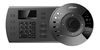
| + | ! style="text-align:center;"|[[File:NKB1000ProductImage.jpg|100px|link=https://dahuawiki.com/Accessories/Keyboard/DH-NKB1000/Firmware_Update]] | ||
| + | |- | ||
| + | ! style="text-align:center;"|[https://dahuawiki.com/index.php?action=ajax&title=-&rs=SecureFileStore::getFile&f=/8/8a/Dahua_Firmware_installation_procedure_thermal_camera_DH-TPC-BF3221-T.PDF DH-TPC-BF3221-T] | ||
| + | ! style="text-align:center;"|[https://dahuawiki.com/Thermal/Firmware_Update/TPC_BF5421_T] | ||
| + | | style="text-align:center;"|[https://dahuawiki.com/Accessories/Keyboard/DH-NKB1000/Firmware_Update NKB1000] | ||
| + | |} | ||
Revision as of 23:31, 16 April 2020
Contents
Temperature Alarm
Description
Configure a Dahua Thermal Camera to trigger an alarm when a certain temperature is met
Temperature alarm triggered at WebUI:

Prerequisites
- Dahua device with Temperature function - DH-TPC-BF5400 used for guide
Video Instructions
Step by Step Instructions
1. Enter the IP of the device into a browser (default 192.168.1.108)
At the Web Login
Enter the Username and Password
Click Login
2. Click Setting

3. Click Temperature > Rule

4. Click the + to create a new Rule


Device Specific Instructions
|
|
|
|---|---|---|
| DH-TPC-BF3221-T | [1] | NKB1000 |

