Difference between revisions of "FAQ/Password Reset Instructions"
| (One intermediate revision by the same user not shown) | |||
| Line 19: | Line 19: | ||
|- | |- | ||
! style="font-size:large;" | NVR/XVR Password Reset Options | ! style="font-size:large;" | NVR/XVR Password Reset Options | ||
| − | ! | + | ! |
|- | |- | ||
| Reset the NVR/XVR Password using the mobile app DMSS (Email Recovery must have been set up on the device) | | Reset the NVR/XVR Password using the mobile app DMSS (Email Recovery must have been set up on the device) | ||
| [[FAQ/Password_Reset_NVR_DMSS|> Link to Guide]] | | [[FAQ/Password_Reset_NVR_DMSS|> Link to Guide]] | ||
|- | |- | ||
| − | | <s>Reset the NVR/XVR Password using a Reset code (only on pre-4.0 Firmware) | + | | <s>Reset the NVR/XVR Password using a Reset code (only on pre-4.0 Firmware)<br /> |
| [[FAQ/Password_Reset_Instructions|> Link to Guide]] | | [[FAQ/Password_Reset_Instructions|> Link to Guide]] | ||
|} | |} | ||
| Line 43: | Line 43: | ||
| Most Dahua IP cameras have a physical reset button on the device that can be used to reset the device to factory defaults. Please consult the product page for the camera model you have to determine how to access this button (if available to the model) | | Most Dahua IP cameras have a physical reset button on the device that can be used to reset the device to factory defaults. Please consult the product page for the camera model you have to determine how to access this button (if available to the model) | ||
|} | |} | ||
| − | |||
| − | |||
| − | |||
| − | |||
| − | |||
===Video Intercom=== | ===Video Intercom=== | ||
| Line 57: | Line 52: | ||
[[Thermal/DHI-ASI7213X-T1/Instructions/Password_Reset_via_Email|How to Reset Thermal Kiosk password using ConfigTool / XML Export]] | [[Thermal/DHI-ASI7213X-T1/Instructions/Password_Reset_via_Email|How to Reset Thermal Kiosk password using ConfigTool / XML Export]] | ||
| − | |||
| − | |||
| − | |||
| − | |||
| − | |||
| − | |||
| − | |||
| − | |||
| − | |||
| − | |||
| − | |||
| − | |||
| − | |||
| − | |||
| − | |||
| − | |||
| − | |||
| − | |||
| − | |||
| − | |||
| − | |||
| − | |||
| − | |||
| − | |||
| − | |||
| − | |||
| − | |||
| − | |||
| − | |||
| − | |||
| − | |||
| − | |||
| − | |||
| − | |||
| − | |||
| − | |||
| − | |||
| − | |||
| − | |||
| − | |||
| − | |||
| − | |||
| − | |||
| − | |||
| − | |||
| − | |||
| − | |||
| − | |||
| − | |||
| − | |||
| − | |||
Latest revision as of 14:18, 11 November 2026
How to reset the password for a Dahua device
Follow these instructions to reset the password for your device if you have forgotten it.
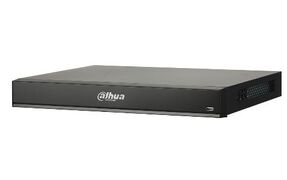
NVR/XVR
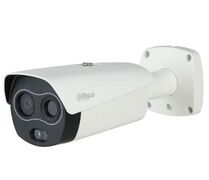
IP Cameras
LincX2Pro
Access Control
Video Intercom
Other Devices
NVR/XVR
| NVR/XVR Password Reset Options | |
|---|---|
| Reset the NVR/XVR Password using the mobile app DMSS (Email Recovery must have been set up on the device) | > Link to Guide |
| |
> Link to Guide |
IP Camera
| IP Camera Password Reset Options | |
|---|---|
| Reset the IP Camera Password using a computer connected to the same network and ConfigTool. | > Link to Guide |
| Reset the IP Camera Password using the mobile app DMSS (Email Recovery must have been set up on the device during initialization) | > Link to Guide |
| Reset the IP Camera Password using the reset button (available on most models) |
Most Dahua IP cameras have a physical reset button on the device that can be used to reset the device to factory defaults. Please consult the product page for the camera model you have to determine how to access this button (if available to the model) |
Video Intercom
How To Reset VTH Password via VDPConfig / XML Export
Other Devices
How to Reset Dahua V-Radio Wireless Bridge using Reset Tool
How to Reset Thermal Kiosk password using ConfigTool / XML Export

