Difference between revisions of "Video Intercom Test"
| Line 3: | Line 3: | ||
The One-Key Config feature is only available on a few VTHs. Please check the device list below to see what models are compatible | The One-Key Config feature is only available on a few VTHs. Please check the device list below to see what models are compatible | ||
| − | ==Instructions== | + | ==Instructions Example 1== |
===Initializing Video Intercom=== | ===Initializing Video Intercom=== | ||
*[[Video_Intercom/SIP_2.0/How_To_Initialize_Video_Intercom_Using_Configtool|How to Initialize Video Intercom using Configtool]] | *[[Video_Intercom/SIP_2.0/How_To_Initialize_Video_Intercom_Using_Configtool|How to Initialize Video Intercom using Configtool]] | ||
| Line 44: | Line 44: | ||
</tabber> | </tabber> | ||
| − | == | + | ==Instruction Example 2== |
| − | + | ||
| − | + | {| class="wikitable" | |
| − | + | !style="text-align: center;"|Initializing Video Intercom | |
| − | |-| | + | |- |
| − | + | |[[Video_Intercom/SIP_2.0/How_To_Initialize_Video_Intercom_Using_Configtool|How to Initialize Video Intercom using Configtool]] | |
| − | + | |} | |
| − | |-| | + | |
| − | + | {| class="wikitable" | |
| − | + | |- | |
| − | |-| | + | ! style="text-align: center;"|DHI-VTO4202F (Modular) Setup |
| − | + | |- | |
| − | + | ! Manual Setup | |
| − | + | |- | |
| + | |[[Video_Intercom/SIP_2.0/How_To_Setup_And_Program_Modules_On_DHI-VTO4202F-P-S2|How to setup and program Modules on DHI-VTO4202F-P-S2]] | ||
| + | |- | ||
| + | |[[Video_Intercom/SIP_2.0/How_To_Forward_Calls_To_DSS_Pro_Client|How to Forward calls to DSS Pro Client]] | ||
| + | |- | ||
| + | |[[Video_Intercom/SIP_2.0/How_To_Call_DMSS|How to make calls to DMSS (With Custom License Firmware Only)]] | ||
| + | |- | ||
| + | ! Configtool Setup | ||
| + | |- | ||
| + | |[[Video_Intercom/SIP_2.0/How_To_Add_VTO4202_To_VTH_Via_Configtool|How to setup DHI-VTO4202F-P-S2 with Indoor Monitor via ConfigTool]] | ||
| + | |- | ||
| + | |[[Video_Intercom/SIP_2.0/How_To_Add_VTO4202_To_DSSPro_Via_Configtool|How to setup DHI-VTO4202F-P-S2 with DSS Pro via ConfigTool]] | ||
| + | |- | ||
| + | |[[Video_Intercom/SIP_2.0/How_To_Add_More_VTHs_To_Modular_Video_Intercom|How to add additional VTH (Indoor Monitor) for a DHI-VTO4202F-P-S2]] | ||
| + | |} | ||
Revision as of 23:10, 2 March 2022
Contents
GEN3 (Latest Generation) 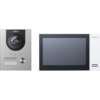

Description
The One-Key Config feature is only available on a few VTHs. Please check the device list below to see what models are compatible
Instructions Example 1
Initializing Video Intercom
DHI-VTO4202F (Modular) Setup
Manual Setup
- How to setup and program Modules on DHI-VTO4202F-P-S2
- How to Forward calls to DSS Pro Client
- How to make calls to DMSS (With Custom License Firmware Only)
Configtool Setup
- How to setup DHI-VTO4202F-P-S2 with Indoor Monitor via ConfigTool
- How to setup DHI-VTO4202F-P-S2 with DSS Pro via ConfigTool
- How to add additional VTH (Indoor Monitor) for a DHI-VTO4202F-P-S2
VTH and VTO Setup
- Single VTH and VTO One Key Config Setup
- Multiple VTH and VTO One Key Config Setup
- How to Reset VTH Password Using VDPConfig
- How to add secondary VTO to existing Intercom Kit
DMSS
Physical Wiring Setup
DSS Express Instructions
Instruction Example 2
| Initializing Video Intercom |
|---|
| How to Initialize Video Intercom using Configtool |

